Personal Backup 2026 Free Download latest full version. It is offline installer setup of Personal Backup 2026 for windows 7, 8, 10 (32/64 Bit) from getintopc.
Overview
In an era where data forms the backbone of personal and professional life, ensuring that your files are safely backed up is important. Personal Backup was developed by Dr Jurgen Rathlev and it’s a Windows based backup utility that helps users protect their valuable data effortlessly. It was designed mainly for personal use. It is a powerful tool that provides configurable backup tasks, scheduling options, encryption and more all without requiring a paid license.
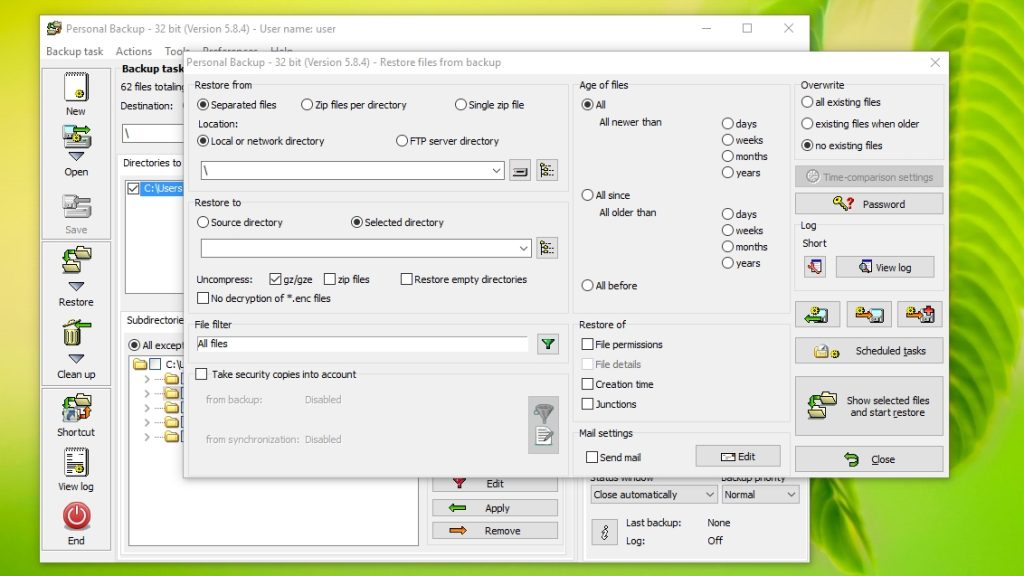
Personal Backup is a freeware backup application that allows users to save personal files and directories to different locations like local drives, removable devices, network shares and FTP servers. The main philosophy of the software is easy and simple: allow users reliably back up their most important data with flexibility and precision. Personal Backup emphasizes file and folder protection, not full OS imaging unlike complete system imaging tools. It was been updated through 2025 with versions such as 6.4.5.0 and earlier builds like 6.4.3.2 and reflected ongoing development and compatibility with advance versions of Windows.

Versions
- Personal Backup 2025
- Personal Backup 2024
- Personal Backup 2023
Uses
- It is perfect for protecting documents, photos, videos and other personal files that you can’t afford to lose. Backups can be started manually and gives flexibility for users who likes either control or convenience.
- Users can define several tasks and schedule them to run at particular times such as logon, logoff, daily at a chosen hour or even upon system shutdown and ensure data is regularly backed without manual intervention.
Features
- You can make as many backup jobs as you need each with its own source, filters, destination, scheduling and rules. This enables users to back up various set of files (e.g documents, photos, projects) independently and on their own schedules.
- A built in wizard helps users through setup and makes it easy to define what files to back up, where to store them and how often. This is beneficial for beginners who might not be familiar with backup concepts.
- Personal Backup provides detailed control over what gets backed up using options such as include/ exclude specific folders and subfolders. Filter by file name, file type, size or age and support for regular expressions in filters.
- The software compress the files using zip or gzip and back up them in normal copy mode. Compressed backups can save disk space and optionally be split into numerous archive files for easier management.
- For improved security, backups can be encrypted using AES (Advanced Encryption Standard) so that if anyone gains access to the back up files, they can’t read the contents without the password.
System Requirements
- Operating System: Windows 7, Windows 8.1, Windows 10, Windows 11 (both 32-bit and 64-bit)
- Processor: Standard x86/x64 compatible CPU
- Memory: Minimum 512 MB RAM (2 GB or more recommended)
- Storage: 20–30 MB for installation
Alternatives
- FreeFileSync
- LuckyBackup
- AOMEI Backupper Standard
- Back-In-Time
- rsync
Personal Backup 2026 Free Download
Free Download Personal Backup 2026 full version latest. It is offline installer setup of Personal Backup 2026 for windows 7, 8, 10 (32/64 Bit) from Get In To PC.