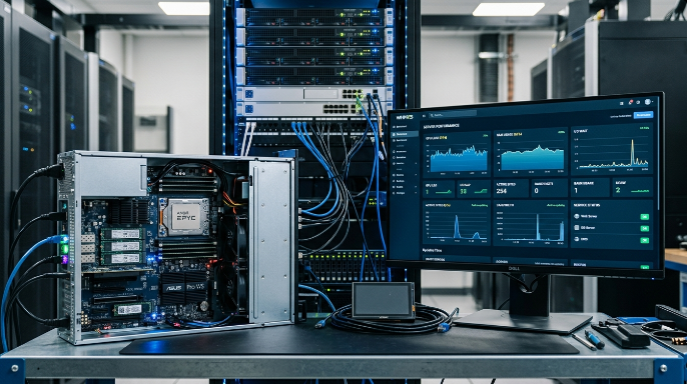
Everyone talks about server specs when it comes to managing websites, but let’s be real your own desktop setup can make or break your day-to-day workflow with hosting control panels. Even a top-tier server won’t save you if you’re stuck using a slow, outdated computer. The experience will still be sluggish, and honestly, it gets frustrating fast. Let’s break down why your desktop matters so much, what really affects performance, and what you can actually do to make things smoother.
Why Your Desktop Setup Matters for Control Panels
A hosting control panel isn’t just a basic web page. When you log in, you’re actually running a complex web app that leans heavily on your desktop’s muscle. The browser, the interface everything relies on your computer’s ability to handle requests, process scripts, draw graphics, and run a bunch of tabs at once. Run that on a slow machine and you’ll notice everything drags: loading pages, opening file managers, even just switching menus feels heavy. But get on a solid desktop and the difference pops right away your panel is snappy and responsive.
Your desktop hardware sets the pace for everything: how quickly the panel boots up, how smoothly you flip through sections, and whether you can manage five websites at once or if your system just taps out.
CPU and Processing Power
Let’s talk about the CPU first. It’s the brain of your desktop. Hosting panels churn through a lot of JavaScript, live updates, and background stuff that chews up processing power. A slow, old chip just can’t keep up. You’ll feel it when you jump between heavy sections or pull up big logs; you click and then you wait. Upgrade to a modern, multi-core processor and those delays basically vanish. Everything happens right when you ask switching tabs, data crunching, messing with databases, all of it.
RAM and Multitasking
Hosting work isn’t a one-tab world. You’ve got the control panel open, probably a CLI window, maybe docs, and who knows what else. That multitasking eats up your RAM fast, and if you don’t have enough? Tabs crash, everything slows down, and you get stuck waiting instead of working. Sticking with just 8GB can feel rough, especially as websites or panels get more complex. Toss in 16GB or more, and suddenly you’re moving smoothly even with half a dozen things happening at once.
Storage Speed: The SSD Factor
Storage doesn’t get as much attention, but it should. Old-school HDDs just can’t keep up with the read and write speeds hosting dashboards demand, especially when you’re browsing big directories or downloading backups. Switch to an SSD and everything’s snappier. Files open fast, uploads and downloads finish before you even think to check them, and every menu in your control panel just feels faster because it actually is.
Internet and Networking Gear
It’s not all inside your box either. Your network card and your connection matter too. Slow Wi-Fi or an aging Ethernet port can bottleneck everything, no matter how good your desktop is. You want something stable, with as little latency as possible, especially if you work over remote panels. A solid connection keeps your experience smooth and cuts out annoying lags or failed uploads.
Monitors and Graphics: Don’t Forget Your Eyes
Last piece almost everyone overlooks your display and video hardware. If you’re staring at logs and stats all day, a good, crisp monitor makes a huge difference. High-res screens, true colors, and enough real estate for all your panels save your eyes. Trust me, you’ll thank yourself during those long admin sessions.
Making Upgrades That Matter
So what should you actually upgrade? Focus on balance. A decent modern processor, 16GB or more of RAM, and an SSD is all most folks really need. Keep your system and browser up to date, and you’re golden. If you want something lightweight, a hosting control panel like aaPanel work well even on lower-end machines, thanks to their efficient design.
Bottom Line
Your desktop is the engine behind your hosting work, not some minor detail. Decent hardware transforms the whole control panel experience goodbye lag, hello productivity. Don’t just settle for “good enough”; a few smart upgrades save you hours of wasted time and a lot of stress. Take a look at your own setup, figure out what’s slowing you down, and start there. Even small changes add up quickly, and before you know it, your day-to-day management gets way easier and more enjoyable.