Cog For macOS Free Download Full Version latest. It is offline installer and torrent dmg setup for Apple macOS from Get Into Mac.
Overview – Cog For macOS Free Download
Cog For macOS Free Download is a great option for Mac users who need an easy, free and open-source audio player. Cog is created mainly for playing local music files without forcing users build a large media library or depend on a subscription service. It supports many preferred audio formats that makes it beneficial for listeners who keep music in various file types. The current build that needs macOS 10.15or later. Cog emphasizes on simple music playback. It supports formats like FLAC, AAC, MP3, Ogg Vorbis, Musepack, WavPack and multiple other audio formats.
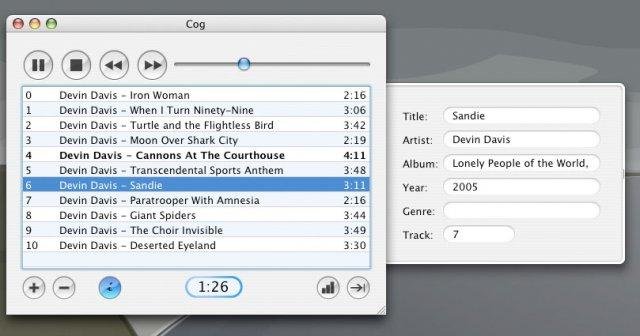
This broad format compatibility makes the application useful for users with large or mixed music collections. The original Cog project lists support for formats like AIFF, WAV, tracker music, video game music formats, playlists and CUE sheets. One of the key advantage of Cog is its gapless playback capability. This is mostly beneficial when listening to classical recordings, live albums, DJ mixes or albums where tracks are created to flow together. The application gives global hotkeys, desktop notifications, shuffle and repeat controls, album artwork and Last.fm scrobbling.
What Is Cog for Mac?
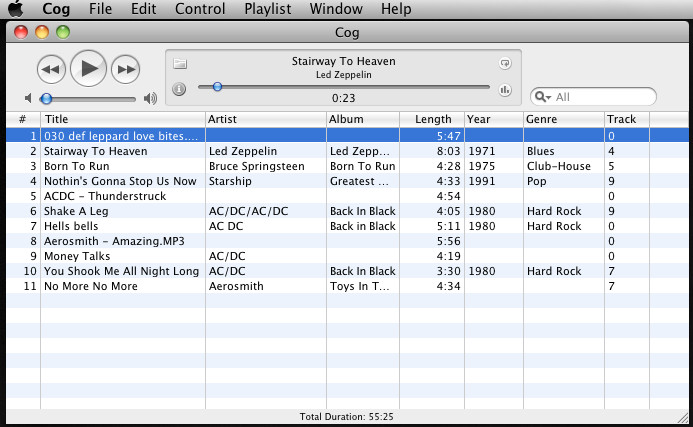
Cog is a free and open source music player designed particularly for macOS. It is created for users who favour direct access to their music files and a focused playback experience. The application can handle local audio files as well as supported HTTP(S) audio sources. It support playlist and CUE, enables users organize and play music without unnecessary complexity. The official project currently lists macOS 10.15 as the minimum operating system requirement.
Versions
- Cog — 2006
- Cog — 2005
Key Features
- Wide Audio Format Support: Cog also support many well known and specialized audio formats. These include FLAC, AAC, Ogg Vorbis, MP3, Musepack, WAV and AIFF. Its broad compatibility is beneficial for users with broad music collections.
- Gapless Music Playback: Gapless playback helps compatible tracks to play continuously without unwanted pauses. It is especially helpful for albums, concerts, classical recordings, and continuous mixes.
- Equalizer and Spectrum Visualization: A graphic equalizer for adjusting audio output is also included in Cog. Its spectrum visualization gives a visual representation of the music while it plays.
- Album Artwork: The application also support embedded and external album artwork. Supported artwork formats include PNG, HEIC, GIF, JPEG, WebP and AVIF.
- Global Hotkeys: Global hotkeys enable users to control playback without continuously switching back to the application. This makes everyday listening more suitable.
System Requirements
- Operating System: macOS 10.15 Catalina or later
- Processor: Intel or compatible Apple Mac hardware
- RAM: 2 GB or more recommended
- Storage: Around 100 MB of available space
- Audio: Built-in or compatible audio output
- Internet: Required for online sources and some update-related features
Alternatives
- VLC Media Player
- foobar2000
- Audirvana
- Swinsian
- Vox
- IINA
- Music
Cog For macOS Free Download
Cog For macOS Free Download Full Version latest. It is offline installer and torrent dmg setup for Apple macOS from Get Into Mac.